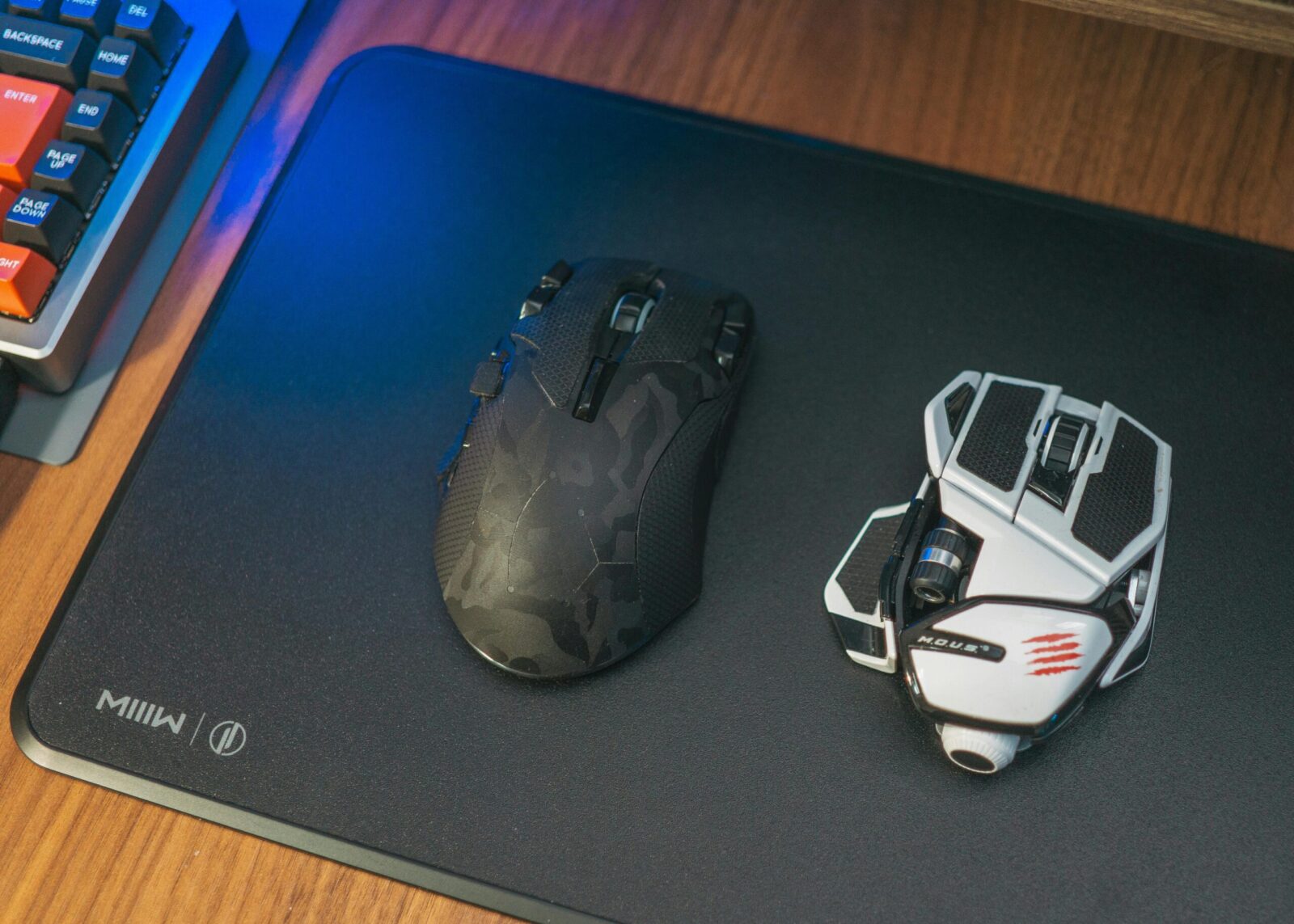
You want a wireless gaming mouse that’s razor‑sharp for flicks and micro‑adjustments, and you want it to look good doing it. The best high‑DPI wireless gaming mice with customizable light strips nail both: elite sensors and polling for performance, plus tasteful RGB bands, underglow, or light pipes that elevate your setup without turning it into a carnival ride. This guide breaks down what actually matters, the top picks worth your money, and how to dial everything in so your mouse feels like an extension of your hand.
What Matters Most For Performance And Aesthetics
Sensor Accuracy, DPI, And Polling Rates
DPI numbers are marketing until the sensor tracks cleanly. What you’re really after is flawless tracking with low latency and no acceleration or jitter at your play sensitivities. Today’s flagship optical sensors are effectively perfect across reasonable DPI ranges, so you can pick based on shape and features without sacrificing precision.
- DPI: Treat anything in the 20–30K range as “ceiling you’ll rarely touch,” but it’s useful for desktop scaling and granular tuning. What matters is consistency across your actual in‑game DPI, usually 400–3200 for most players.
- Polling rate: 1000 Hz is the baseline for competitive play. If your mouse and dongle support 2000 Hz or 4000 Hz “high‑speed” wireless, you’ll get tighter input intervals. The gain is subtle but real, especially at low sensitivities.
- Latency stack: Sensor, MCU, wireless stack, and software all add up. Look for mice with proven low click‑to‑pixel latency and a solid 2.4 GHz link.
Shape, Weight, And Grip Compatibility
A great sensor can’t fix a shape that fights you. Your grip (claw, fingertip, or palm) and hand size dictate comfort and control.
- Lightweight helps with rapid direction changes and fatigue. Sub‑80 g wireless is now common, even with RGB.
- Hump position and side curvature decide how stable your aim feels during micro‑corrections. If you claw or fingertip, flatter back ends and crisp side walls tend to track better. Palm grippers often like fuller, ergonomic humps.
- Side buttons and wheel tactility matter more than you think. You want confident inputs without accidental presses when you squeeze.
RGB Light Strips, Diffusion, And Software Control
Customizable light strips should complement, not distract from, your aim. Look for diffused bands or underglow that create a clean edge of light on your pad rather than harsh hotspots. The best implementations give you multiple zones you can program, sync with your keyboard, and save to on‑board memory so you’re not locked to one PC. Bonus points for effects that dim during movement and brighten when idle to preserve battery.
Best Picks And Why They Stand Out
Competitive FPS Lightweight With Underglow
Razer Cobra Pro
If you want a true do‑it‑all competitive shape with real underglow, the Cobra Pro hits a sweet spot. It’s an agile, ambidextrous shell that stays light while still giving you a tasteful perimeter underglow you can tone down for scrims and brighten for late‑night sessions. Performance is the headline, though: a top‑tier optical sensor with high DPI headroom, crisp optical switches, and low‑latency 2.4 GHz wireless keep inputs tight at 1000 Hz, and you can unlock higher polling with the right dongle if you want even finer granularity. Battery life holds up surprisingly well even with lighting enabled, and the lighting transitions look clean thanks to diffused zones rather than exposed LEDs.
Why it stands out: competitive‑grade tracking and click feel, flexible underglow that doesn’t scream, and a weight/build that doesn’t punish long practice blocks.
Versatile Ergonomic All-Rounder With Programmable Light Zones
Logitech G502 X Plus
You need a mouse that can grind ranked one night and edit video the next? The G502 X Plus remains the Swiss Army knife of wireless mice. The HERO sensor delivers excellent accuracy at high DPI, the scroll wheel can free‑spin for productivity, and you get a bank of well‑placed buttons for binds and macros. The LIGHTSYNC RGB strip along the spine is tasteful, and fully programmable, so you can run a subtle breathing effect or a static accent that matches your case fans. Even though the feature set, latency over 2.4 GHz stays impressively low, and with power‑efficient lighting curves, battery life is better than you’d expect for a mouse with this much going on.
Why it stands out: ergonomic comfort for long sessions, robust software, reliable wireless, and RGB that feels modern rather than gaudy.
Ambidextrous Option With Perimeter Light Strip
ASUS ROG Pugio II
Prefer an ambi shape with a true base‑edge glow? The Pugio II pairs a symmetrical shell with an Aura Sync lighting implementation that includes a perimeter underglow strip, great for clean, even diffusion around your mousepad. Swappable side buttons let you tailor it for left‑ or right‑handed use, and the wireless link is solid over both 2.4 GHz and Bluetooth for multi‑device setups. The sensor tracks accurately at gaming DPIs, and the overall balance makes it a comfortable pick for fingertip and relaxed claw grips.
Why it stands out: ambidextrous comfort, perimeter underglow you can actually dial in zone‑by‑zone, and versatile connectivity.
MMO/MOBA Mouse With Diffused Light Pipes
Roccat Kone XP Air
If you play titles where inputs outnumber fingers, the Kone XP Air is that rare MMO/MOBA wireless mouse that doesn’t feel like a brick. You get a generous cluster of programmable buttons, without the awkward reach, and Roccat’s 3D diffused light pipes steal the show. The lighting effect isn’t a single harsh strip: it’s layered through the shell for a premium glow that looks fantastic synced with a keyboard. The optical sensor holds firm at higher DPIs, click latency stays low, and the charging dock makes topping up effortless. Even though the features, the weight distribution is tuned so fast camera pans don’t feel mushy.
Why it stands out: smartly accessible buttons, mesmerizing, but functional, diffused lighting, and a dock that keeps it ready without cables.
Value Choice With Solid Sensor And Customizable Light Band
Glorious Model I 2 Wireless
On a tighter budget but still want a high‑DPI sensor and real lighting control? The Model I 2 Wireless brings a modern 26K‑class sensor, low‑latency 2.4 GHz, and an ergonomic shell with modular side buttons. The RGB “band” accents along the sides are fully customizable, offering a clean glow you can match to your setup without tanking battery life when tuned sensibly. It’s light for an ergo with this many buttons, tracks cleanly for FPS, and doubles as a productivity champ thanks to the software’s flexible macro layers.
Why it stands out: price‑to‑performance, comfortably light ergonomic shape, and customizable side‑band lighting that looks pricier than it is.
How To Choose The Right Mouse For Your Setup
Match DPI, Sensitivity, And Polling To Your Games
Start with your in‑game sens and back into hardware. If you aim at 800–1600 DPI with a low to mid sens, a flawless sensor is more important than chasing the highest DPI number. For tactical shooters, prioritize consistent tracking, low latency, and a shape that stabilizes micro‑corrections. For arena shooters or fast MOBAs, lighter weight and grippy side walls help you survive frantic strafes.
High polling (2000–4000 Hz wireless, when supported) can smooth micro‑movement, but it draws more power. If you’re not chasing every last millisecond, 1000 Hz remains a great default with better battery life. Test both, you’ll feel the difference in micro‑adjustments and flick return accuracy.
Software Ecosystems, On-Board Profiles, And Platform Support
Lighting is only as good as the software behind it. You want:
- On‑board profiles so your DPI steps, binds, and light strip effects travel with the mouse.
- A stable app that doesn’t hog CPU or force background services to keep lighting active.
If you’re already invested in an RGB ecosystem (Chroma, LIGHTSYNC, Aura, etc.), sticking with that vendor keeps your underglow and light bars in sync. For multi‑platform use (Windows, macOS, or even a console), check that DPI, polling, and lighting profiles can be set on‑device or via a lightweight utility so you’re not stuck without your settings.
Setup, Tuning, And Maintenance
Calibrate Sensitivity And Create Non-Distracting Lighting
Dial your eDPI first (in‑game sensitivity × mouse DPI). Track a horizontal line in a range map or practice tool and adjust until micro‑strafes feel crisp without over‑shooting. Then set lift‑off distance to the lowest consistent level so repositioning doesn’t jitter your crosshair.
For lighting, keep it functional: a single‑color static or slow breathing effect on the light strip/underglow looks premium and won’t pull focus. Many suites let you trigger a “dim on movement” rule, use it. Save profiles to on‑board memory so tournaments or LANs don’t mess with your setup.
Optimize Wireless Performance, Battery Life, And Charging
Place the 2.4 GHz dongle as close as practical, ideally on your desk via an extension, to minimize interference. If your router sits nearby, shift its channel or move the dongle a few inches: those small tweaks reduce packet retries.
Battery tips: lower RGB brightness to 20–40%, use reactive effects sparingly, and consider dropping to 1000 Hz polling for casual sessions. If your mouse supports fast wireless polling and you only feel the benefit in ranked, bind a quick toggle in software.
For charging, a lightweight paracord USB‑C cable or a dock keeps you from hitting empty mid‑match. Top up during breaks instead of full drains: lithium‑ion prefers partial cycles. Wipe skates and your mousepad weekly, a clean glide surface feels faster than any DPI bump.
Frequently Asked Questions
What defines the best high-DPI wireless gaming mice with customizable light strips?
Look for flawless sensor tracking at your play DPI (often 400–3200), low click-to-pixel latency, and at least 1000 Hz polling. Prioritize a shape that fits your grip, sub‑80 g weight when possible, and diffused RGB light strips with multi‑zone control, on‑board profiles, and software that won’t hog resources.
Which high-DPI wireless gaming mice with customizable light strips are top picks right now?
Standouts include Razer Cobra Pro (lightweight underglow, elite sensor), Logitech G502 X Plus (ergonomic, LIGHTSYNC strip, macro-friendly), ASUS ROG Pugio II (ambidextrous with perimeter underglow), Roccat Kone XP Air (MMO/MOBA buttons, diffused light pipes, dock), and Glorious Model I 2 Wireless (value, 26K sensor, customizable side-band RGB).
How should I tune DPI, polling rate, and lighting for performance and battery life?
Determine eDPI (in‑game sens × DPI) and aim for crisp micro‑adjustments without overshoot, typically 800–1600 DPI. Use 1000 Hz as a strong default; try 2000–4000 Hz if your mouse supports it and you feel the benefit. Keep RGB at 20–40% brightness, use dim‑on‑movement effects, and save profiles on‑board.
Do customizable light strips affect latency or gameplay focus?
Well‑implemented RGB strips won’t add input lag. Choose diffused bands or underglow to avoid harsh hotspots, and prefer effects that dim while moving to reduce distraction and power draw. Keep lighting simple—static or slow breathing—and store settings on the mouse so they work consistently across devices.
Are high-DPI wireless gaming mice better for 4K or ultrawide productivity work?
Yes—high DPI provides extra desktop granularity, letting you traverse large canvases with small movements while retaining precision for design or timeline edits. Pair higher desktop DPI with a lower in‑app sensitivity when gaming. A dual‑profile setup (productivity vs. play) mapped to on‑board memory is ideal.
Can I sync RGB light strips across different brands of peripherals?
Cross‑brand sync is limited. For the most seamless effects, stay within one ecosystem (Razer Chroma, Logitech LIGHTSYNC, ASUS Aura). Some platform-level or third‑party tools can coordinate basics, but they’re less reliable and may reduce effect options. On‑board lighting profiles remain the most consistent across systems.
No responses yet