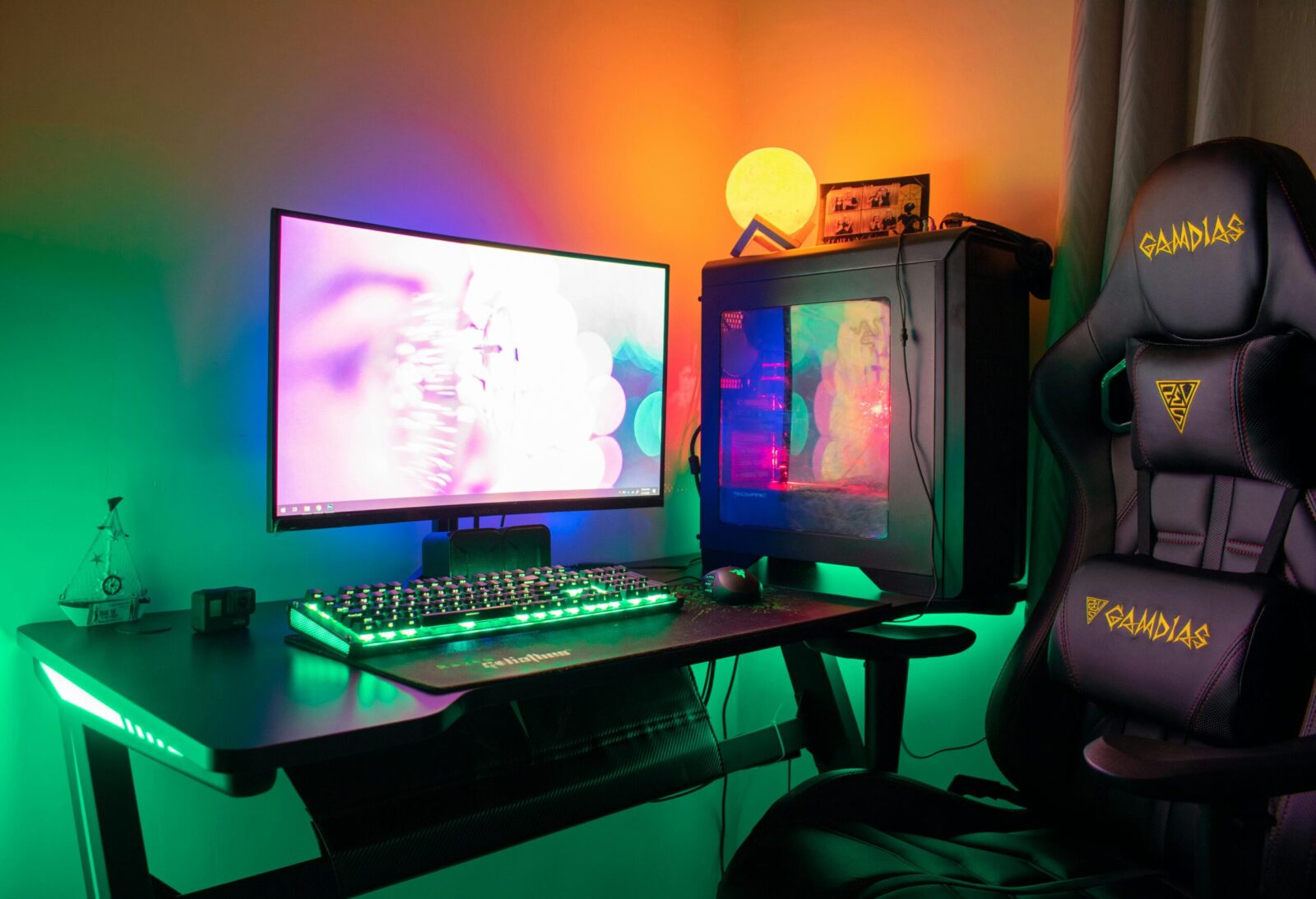
The right smart lighting system can make your gaming room feel like a different universe, enemies flash red behind you, spells ripple across your walls, and bass drops turn the whole space into a living waveform. When you stack Govee vs. Philips Hue, you’re really weighing immersion tech, latency, color quality, ecosystem depth, and long‑term cost. This guide cuts past hype and tells you what actually matters for gaming, and which setup fits your rig, budget, and platform.
What Matters for a Gaming Room Lighting Setup
Immersion And Screen/Music Sync
Real immersion means your lights react to what you’re seeing and hearing, smoothly. Screen sync should map colors accurately across zones, not just throw a wash. For music, you want punchy responsiveness without stutter.
Latency And Performance
A great scene ruined by delay is still ruined. HDMI capture boxes and on‑PC sync apps usually deliver the lowest latency. Camera‑based screen capture is cheaper and console‑friendly, but it can introduce a small delay and occasional color misreads.
Color Accuracy, Brightness, And Beam Quality
Brightness (lumens) isn’t everything. You need wide‑gamut color that doesn’t desaturate at low brightness, smooth gradients, and consistent beam quality (no obvious hotspots) so scenes feel believable, not cartoony, unless that’s the vibe you want.
Form Factors And Placement Flexibility
Light bars, gradient lightstrips, wall panels, backlights, and bias lighting all serve different purposes. The more options and mounting hardware you have, the easier it is to build a layered setup that avoids glare and keeps cables sane.
Ecosystem, Compatibility, And Automation
Do your lights play well with Alexa/Google/HomeKit/Matter? Do you need PC‑only sync, or console sync via HDMI? Can you automate scenes with motion sensors, schedules, and presence detection? Ecosystems determine how far you can take it.
Total Cost Of Ownership
Count everything: bridges/hubs, sync boxes, extra power supplies, extra strips, replacement parts, plus the time you’ll spend configuring. It’s easy to double your initial budget if you plan to expand.
Govee At A Glance
Strengths For Gaming
Govee leans hard into immersion. You get aggressive pricing, bright lightstrips and bars, and multiple ways to sync: PC desktop app, camera‑based TV/monitor kits (DreamView), and HDMI sync boxes, including newer “AI” models tuned for fast, per‑zone effects with supported PC titles. Music sync is built into many control boxes via onboard mics, so you can jam without extra hardware. Setup is quick, and for most users, the “wow” factor per dollar is excellent.
Limitations To Consider
Color accuracy and gradient smoothness vary across product lines, and white tones can skew compared to premium lamps. Camera kits still misread edges in tricky scenes and add a slight delay: HDMI boxes fix that but cost more and add cabling complexity. Most Govee lights are Wi‑Fi/Bluetooth: reliability is decent, but not Zigbee‑level. Matter support exists on select newer models, but it’s not universal, and HomeKit support relies on Matter rather than a deep, native bridge.
Philips Hue At A Glance
Strengths For Gaming
Philips Hue nails color fidelity, dimming curves, and reliability. The Hue Bridge (Zigbee) keeps lights snappy and stable, even if your Wi‑Fi hiccups. For gaming, Hue offers the Hue Sync desktop app (PC/Mac) and the HDMI Sync Box for consoles and TVs, both with low latency and accurate color mapping, especially with Gradient lightstrips and Play light bars. Hue’s ecosystem is deep: sensors, switches, outdoor lights, and tight integrations with Apple Home, Alexa, Google, and Matter (via the bridge acting as a Matter controller for Hue accessories).
Limitations To Consider
You’ll pay more, per bulb, per strip, and for accessories like the bridge and Sync Box. Peak brightness on some bulbs has improved (1100–1600 lm models exist), but price‑to‑lumens favors Govee in many categories. The HDMI Sync Box adds cost and cables: without it, console gamers miss out on screen‑reactive lighting unless they run a PC in the loop.
Head-To-Head: Govee vs. Philips Hue
Screen And Music Sync: HDMI, Camera, And PC Apps
If you’re on PC, both brands deliver great screen sync. Hue Sync (desktop) is mature and low latency: colors match scenes with fine granularity. Govee’s Desktop app and newer AI Gaming Sync are surprisingly close for fast games, with punchy effects and wide zone control.
For consoles, Hue’s HDMI Sync Box yields reliable, low‑lag capture with accurate mapping. Govee gives you two routes: HDMI Sync Box kits (lower latency, cleaner mapping) or camera‑based DreamView kits (cheaper, small delay, occasional edge errors). For music, Govee’s built‑in mics make spontaneous sessions easy. Hue’s music reactivity is strongest via PC/Mac running Hue Sync.
Bottom line: PC gamers can choose either. Console gamers who want premium accuracy and minimal fuss lean Hue HDMI: value‑seekers can do Govee HDMI or camera kits.
Brightness, Color Quality, And Scene Realism
Hue owns consistency and color science, rich reds, believable pastels, and smooth gradients at low brightness. Its gradient lightstrips and Play bars feel cinematic. Govee often wins raw brightness per dollar and dramatic vibrancy. For stylized, high‑impact effects, Govee pops: for filmic accuracy and lifelike whites, Hue is better.
App Experience, Routines, And Automation
Hue’s app is polished with reliable schedules, accessories, and room/zone logic. Paired with the Bridge, automations run locally and keep working if your internet drops. Govee’s app is easy, with tons of scenes and quick tuning, but deeper automations are thinner and more cloud‑dependent. If you live in HomeKit or advanced routines, Hue integrates more cleanly.
Ecosystem And Compatibility: Matter, Voice, And Gaming Integrations
Hue supports Alexa, Google, Apple Home, and Matter (via the Bridge), plus popular gaming tie‑ins like Razer Chroma and Corsair iCUE. Govee supports Alexa/Google broadly, has growing Matter support on newer lights, and offers integrations with Razer Chroma/SignalRGB on PC. If you’re building a whole‑home system, Hue’s accessory stack (sensors, switches) gives it the edge: for a gaming‑first corner, Govee covers the essentials.
Installation, Expandability, And Power Management
Govee kits are typically all‑in‑one: strip, camera or HDMI box, adhesive, and control box. You get fast results and plenty of length for ultrawide monitors and large TVs. Hue’s modular approach means you add the Bridge, then lights, then Sync Box or desktop app. It’s cleaner long‑term and easier to expand room‑to‑room, but the starting checklist (and cost) is bigger. Power management is simpler on Hue: high‑quality PSUs, replaceable components, and clear wattage limits. Govee PSUs can vary by kit: plan outlets and cable runs carefully.
Privacy, Reliability, And Support
Hue runs a local Zigbee mesh via the Bridge, so responsiveness is steady and doesn’t hinge on your Wi‑Fi. Updates are frequent, and support is solid. Govee is reliable enough for most gaming rooms, but Wi‑Fi congestion can affect responsiveness, and some features rely on cloud connectivity. Hue has a slight privacy edge through local control: Govee is improving with Matter‑enabled models but still mixes local and cloud workflows.
Best Setups By Budget And Use Case
Entry-Level Immersion Under $200
If you’re new to ambient gaming, start with a Govee monitor/TV camera kit or a budget HDMI kit and a bias‑lighting strip. You’ll get screen‑reactive effects, solid brightness, and music sync without blowing the bank. For PC‑only users, Govee’s Desktop sync with a basic light bar pair can look great for less.
Mid-Range Balanced Setup ($200–$500)
You can mix and match here. Console players: Hue Play light bars with the Hue Bridge and the desktop app won’t help consoles, so allocate for the HDMI Sync Box if you need console sync, though that may push you above $500 depending on sales. PC players: Hue Gradient lightstrip for monitors plus Hue Sync (desktop) is incredibly polished: or go Govee HDMI Sync Box kit with a couple of extra strips for shelves and the desk. This tier is where Govee’s price/performance shines.
Premium Room-Wide Immersion ($500+)
Go all‑in with Hue: Bridge, HDMI Sync Box, Gradient lightstrip (TV or monitor), Play bars or light tubes, and a few White and Color Ambiance bulbs. You’ll get buttery gradients, ultra‑low latency, and bulletproof automations. Or build a Govee showpiece with an HDMI Sync Box, multiple segmented strips, wall panels, and floor lamps. It’ll be brighter per dollar and wildly reactive, with slightly less color precision.
PC vs. Console Considerations
PC gives you maximum choice: Hue Sync app or Govee Desktop both work well, and integrations with Razer/Corsair add flair. Consoles benefit from HDMI capture. Hue’s HDMI Sync Box is the accurate, low‑lag standard. Govee’s HDMI kits are a strong value: camera kits work too, but expect minor delay and softer edge detection.
Final Recommendations
Choose Govee If…
- You want the strongest immersion per dollar, with bright, reactive effects and easy music sync.
- You’re fine with Wi‑Fi‑based control, occasional tuning, and you like experimenting with bold scenes.
Choose Philips Hue If…
- You prioritize color accuracy, low‑latency console sync, and rock‑solid reliability.
- You plan to expand beyond the gaming room with sensors, switches, and whole‑home automations.
A Smart Hybrid Approach
You don’t have to pick a side. Many gamers run Hue for the core (bridge, key lamps, HDMI sync) and add Govee strips or wall accents for extra zones and budget stretching. If you go hybrid, use your platform (Alexa/Google/Apple/Matter) to unify scenes, and keep screen‑sync duties to one brand at a time to avoid clashing effects.
Frequently Asked Questions
Govee vs. Philips Hue: Which is better for console gaming?
For consoles, Philips Hue with the HDMI Sync Box delivers highly accurate, low‑latency screen sync with minimal fuss. Govee offers strong value: its HDMI Sync kits are responsive and cheaper, while camera-based DreamView kits are most affordable but add slight delay and occasional edge misreads. Choose Hue for polish; Govee for price-performance.
How does latency differ between HDMI sync, camera capture, and PC apps?
HDMI sync boxes (Hue or Govee) provide the lowest, most consistent latency for TVs and consoles. PC desktop apps (Hue Sync or Govee Desktop) are also very low-latency for monitor setups. Camera-based capture is the most budget-friendly, but expect small delays and occasional color mapping errors at screen edges.
Govee vs. Philips Hue: Which has better color and brightness for a gaming room?
Philips Hue leads in color accuracy, smooth gradients, and lifelike whites—great for cinematic scenes. Govee typically wins brightness per dollar and delivers bold, high-impact effects. If you want filmic realism and refined dimming, pick Hue. If you prefer ultra-vibrant, dramatic lighting on a budget, Govee shines.
Do I need a hub or bridge to sync lights with my games?
Philips Hue works best with the Hue Bridge for reliable Zigbee control and access to Hue Sync (desktop) and the HDMI Sync Box ecosystem. Most Govee kits don’t require a separate hub; they use Wi‑Fi/Bluetooth. Govee HDMI and camera kits are typically all-in-one, while Hue’s modular setup adds cost but expands cleanly.
Will an HDMI sync box add input lag to my gaming setup?
Quality HDMI sync boxes introduce negligible processing delay, but total impact depends on your display’s passthrough and gaming features. Use the shortest signal chain, certified high-speed cables, and enable your TV’s game mode. Always verify supported resolutions/refresh rates (e.g., 4K, HDR, VRR) to avoid bandwidth-related slowdowns.
No responses yet