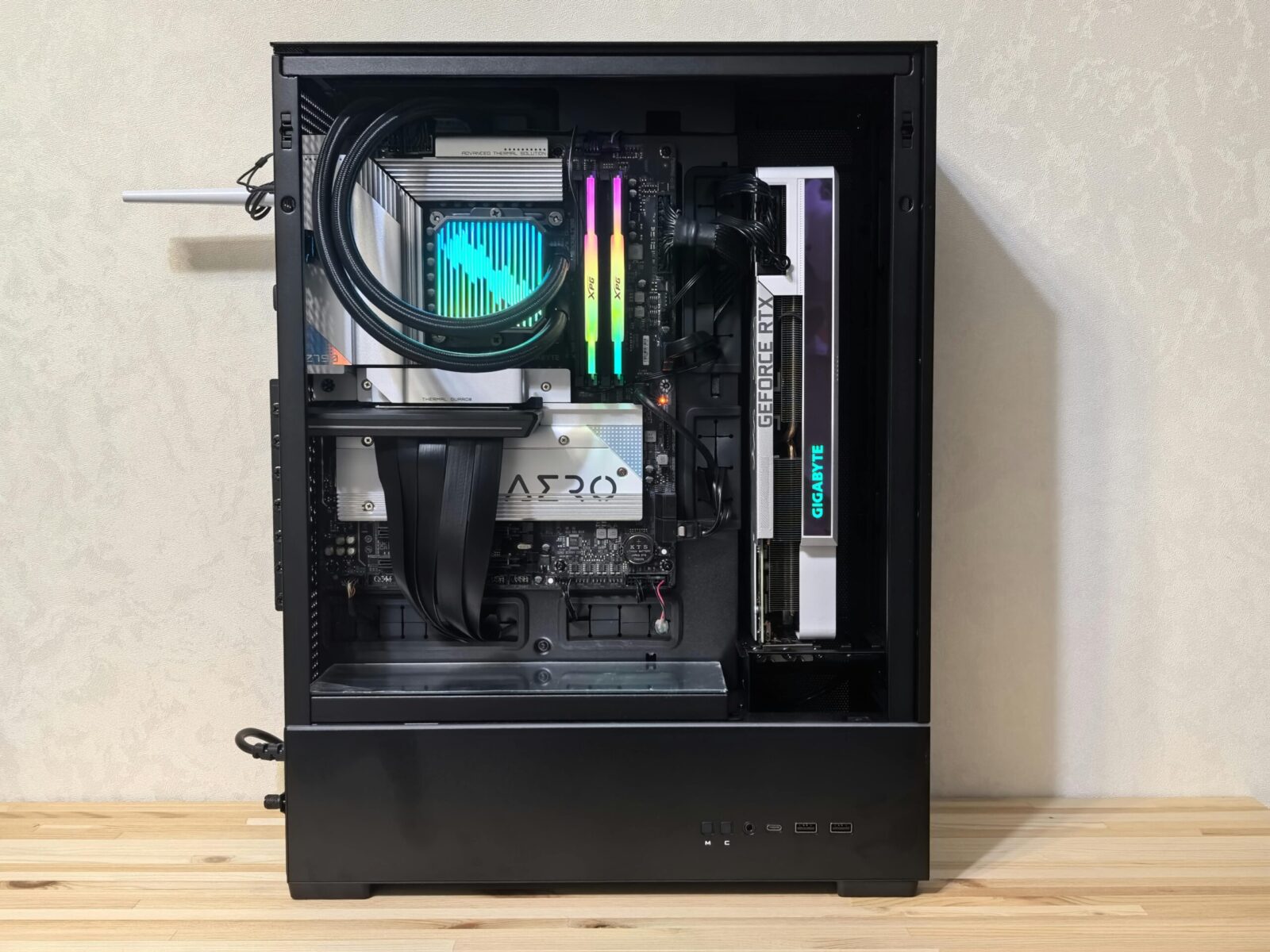
RGB-heavy, high-end builds look stunning, and they can be surprisingly power-hungry. Between flagship GPUs with transient spikes, daisy-chained RGB fans, and hungry controllers, the wrong PSU can mean instability, noise, or worse. Here’s how to choose the right power supply for high-end RGB components so your rig stays bright, quiet, and rock-solid under load.
Map Your System’s Power Needs
TDP Versus Real-World Draw And Transient Spikes
TDP is a starting point, not the finish line. CPUs and GPUs routinely exceed nameplate TDP under boost, and modern graphics cards (think RTX 4080/4090 class or high-end RDNA 3) can generate transient spikes 2–3× their average draw for milliseconds. Your PSU has to absorb those bursts without tripping protections or sagging voltages.
Practical approach: total up typical power usage for CPU, GPU, motherboard, drives, pumps, and fans, then factor in transient behavior. A 350 W GPU with 600–700 W spikes plus a 150–250 W CPU can push momentary demand well beyond steady-state numbers.
Calculating Headroom For Upgrades And Overclocking
You want headroom, both for stability and future upgrades. Aim for roughly 30–50% above your measured steady-state load. If your system averages 550 W while gaming, a high-quality 850–1000 W unit keeps you covered for transient spikes, seasonal ambient heat, and a next-gen GPU. Overclocking can add 50–150 W (or more) depending on silicon and cooling, so plan for it upfront rather than forcing a PSU swap later.
Accounting For RGB Hubs, Fans, And Accessories
RGB itself isn’t wildly power-hungry, but the ecosystem adds up. A single 120 mm fan might draw 0.15–0.30 A at 12 V for the motor and a few watts for lighting: multiply by 6–10 fans and you’re in meaningful territory. Add a pump, LED strips, a couple of SATA-powered hubs, and external USB gear. Spread these loads across peripheral rails (SATA/Molex) sensibly and avoid stacking too many devices on one thin-gauge cable.
Wattage, Rails, And Quality Metrics
Picking The Right Wattage Class (750W–1200W+)
For a single high-end GPU and an enthusiast CPU, 850–1000 W is the sweet spot today. If you’re running a flagship GPU (or plan to), lean 1000 W+. For extreme OC, high-core-count HEDT, or multiple pumps and dense storage, 1200 W+ isn’t overkill, it’s insurance. For mid-high builds with modest overclocks and lots of RGB, 750–850 W can be perfectly fine if the PSU is quality and ATX 3.0/3.1 compliant.
Single Versus Multi +12V Rails And OCP
Both designs can be safe and stable when executed well. Multi-rail units split +12 V into protected groups with individual over-current protection (OCP), which can help fence off a fault. Single-rail designs route most current through one protected path, convenient for big GPUs and fewer chances to trip OCP during spikes. What matters is sensible OCP thresholds and clear labeling. If you’re running a power-dense GPU connector (12V-2×6/12VHPWR), make sure the rail or total OCP budget comfortably exceeds your GPU’s worst-case draw.
Ripple, Regulation, And Essential Protections
Look beyond wattage. Lower ripple and tight voltage regulation reduce stress on VRMs and can improve stability during transients. Seek units with comprehensive protections: OCP, OVP, UVP, SCP, OTP, and OPP at a minimum. Independent DC-DC regulation for minor rails (+5 V, +3.3 V) is standard on quality platforms. Good internals, solid capacitors, robust transformers, and modern controllers, matter more than flashy stickers.
Efficiency, Thermals, And Noise
80 Plus Versus Cybenetics Ratings
80 Plus certifies efficiency at fixed loads, but it doesn’t test noise or transients. Cybenetics provides efficiency (ETA) and noise (LAMBDA) ratings across broader, real-world load sweeps. For premium builds, an 80 Plus Gold/Platinum (or Cybenetics ETA-A/ETA-A-) is a solid target: higher efficiency means less wasted heat and often quieter fans. Titanium is nice but pays off mostly in always-on systems or high electricity regions.
Fan Curves, Zero-RPM Modes, And Ambient Temps
Under low to moderate loads, many modern PSUs stop their fan entirely. That’s great, until your case runs warm and the PSU sits behind a shroud. Consider your ambient temps, radiator placement, and whether the PSU’s semi-passive mode can be toggled. A smarter fan curve beats an aggressive zero-RPM setting that waits too long, then ramps abruptly. Also, fan quality matters: a fluid-dynamic bearing fan tends to be quieter and last longer.
Power Factor And Electrical Costs
Active PFC is standard and boosts power factor to ~0.9–0.99, helping your PSU draw power more cleanly from the wall. It doesn’t change total DC output, but it can slightly improve input current usage and reduce strain on your home circuit. If your PC idles for hours, higher efficiency yields the biggest savings, idle and light-load efficiency curves vary, so check reviews that test below 20% load too.
Form Factor, Cabling, And RGB Power
ATX 3.0/3.1 And 12V-2×6 (12VHPWR) Compatibility
If you’re pairing with a modern high-end GPU, ATX 3.0 or 3.1 compliance is strongly recommended. These standards explicitly address transient spikes and add native high-power GPU connectors. The newer 12V-2×6 plug supersedes 12VHPWR with improved pin design and detection. Use native cables from the PSU whenever possible instead of multi-8-pin adapters, and ensure full insertion, no visible metal on the terminal, before powering on.
Modular Cables, Lengths, And Sleeving Aesthetics
Fully modular PSUs simplify routing, improve airflow, and keep RGB builds clean. Check cable lengths for your case size, especially bottom-mounted PSUs in tall towers or vertical GPU mounts. If you love custom sleeved cables, verify pinouts are PSU-specific: never mix cables across brands or even models. Comb guides keep runs straight, while low-profile connectors help side-panel clearance.
RGB Controllers, SATA Chains, And Avoiding Overload
RGB hubs and fan controllers often pull power from SATA connectors. Each SATA cable in your PSU bundle is rated for a given current, don’t hang every device off a single chain. Split your load across multiple SATA leads, and prioritize high-draw devices (pump/reservoir combos, powerful fan hubs) on their own line. If a hub accepts Molex and SATA, prefer Molex for higher current headroom when available, but only if your PSU provides a quality Molex lead.
Compatibility, Installation, And Safety
Case Fit, Airflow, And PSU Orientation
Confirm your case supports the PSU length (some 1200 W units exceed 180–200 mm). With shrouds, cable room can get tight: short depth helps. Orient the PSU fan to draw fresh air when possible, usually downwards through a dust filter. If your case sits on carpet, reconsider or elevate it. Keep the PSU’s intake and exhaust paths clear of cables and LED strips that could sag into the fan.
Regional Voltage, UPS, And Surge Protection
Most modern PSUs auto-range 100–240 V, but it’s still smart to use a quality surge protector or, better yet, a line-interactive UPS. Look for a UPS with sufficient wattage and true sine wave output to avoid PFC issues. A UPS smooths brownouts and gives you time to shut down gracefully, far cheaper than losing a $2,000 RGB showcase build to a blip.
Cable Management And Daisy-Chain Pitfalls
Daisy-chaining GPU 8-pin connectors from a single cable is tempting, but for high-end cards, use separate PCIe cables if your PSU supports it. For 12V-2×6 connectors, use the native single cable rated for your GPU’s spec. With SATA chains, avoid plugging a full strip of devices into one lead, heat at connectors is a red flag. Tie back excess length so it doesn’t impinge on fans or rest against VRM heatsinks.
Post-Build Validation And Stress Testing
Once built, validate. Monitor with HWInfo or similar for voltages, temps, and power. Run combined loads: 3DMark Speedway or Time Spy Extreme plus a CPU stress like Cinebench or y-cruncher. Watch for coil whine shifts and any sudden reboots (possible OCP/OPP trips). If you see instability only during menu screens or load transitions, that’s classic transient territory, consider higher-wattage or better transient-rated PSUs.
Budgeting And Brand Vetting
Tiered Recommendations By Use Case
- Stylish mid-high RGB build (single GPU like RTX 4070/7800 XT): Quality 750–850 W, ATX 3.0/3.1, Gold or better.
- High-end GPU (RTX 4080/7900 XTX) + OC’d CPU + multiple RGB hubs: 850–1000 W, strong transient handling, Gold/Platinum.
- Flagship GPU or heavy OC/custom loop with dense fans/LEDs: 1000–1200 W+, top-tier platform, Cybenetics noise rating in the A range if acoustics matter.
How To Read OEM Platforms And Reviews
Big retail brands often share OEMs (platform designers like Seasonic, CWT, Flextronics, Great Wall). A model line can change platforms across revisions, so check teardown-based reviews, ripple/regulation tests, transient response charts, and hold-up time. Look for full protection suites and verify ATX 3.0/3.1 certification, not just “compatible.” Real-world hot box testing (40–50°C) separates fair-weather units from truly robust ones.
Warranty Lengths, Support, And Longevity
Warranties of 7–10 years signal confidence, but read the process: cross-ship options, regional coverage, and cable replacement availability. High-quality capacitors (Japanese primary/secondary), FDB fans, and conservative fan curves contribute to lifespan. For a build you plan to upgrade around, a durable PSU outlasts two or three GPU cycles, worth spending a little extra now.
Frequently Asked Questions
How much wattage do I need for a power supply for high-end RGB components?
Estimate your steady-state load, then add 30–50% headroom for transient spikes, ambient heat, and upgrades. For an enthusiast CPU plus a high-end GPU, 850–1000 W is the sweet spot; flagship GPUs or heavy overclocks often merit 1000–1200 W+. Plan headroom now to avoid a PSU swap later.
Do RGB fans, hubs, and LED strips change how I size a power supply for high-end RGB components?
Individually they’re modest, but the ecosystem adds up. A 120 mm fan can draw 0.15–0.30 A at 12 V plus lighting watts. Multiply by 6–10 fans, add pumps, LED strips, and SATA-powered hubs. Size with this overhead in mind and spread peripherals across multiple SATA/Molex leads to avoid overloading a single cable.
Is an ATX 3.0/3.1 PSU with a 12V-2×6 connector required for modern flagship GPUs?
Strongly recommended. ATX 3.0/3.1 units are designed for transient spikes and provide native high-power GPU connectors. The newer 12V-2×6 improves pin design and detection versus 12VHPWR. Use native cables, ensure full insertion (no exposed metal), and avoid multi-8-pin adapters when possible for stability and safety.
Which is better for stability—single-rail or multi-rail +12 V on a high-end RGB build?
Both can be safe if well-implemented. Multi-rail splits current with individual OCP, helping isolate faults. Single-rail simplifies high GPU draw with fewer OCP trips during spikes. Prioritize clear labeling and sensible OCP limits; ensure the rail or total OCP budget exceeds your GPU’s worst-case demand, especially with 12V-2×6 connectors.
Can using an overpowered PSU damage parts or waste electricity?
No—components only draw what they need. A higher-capacity, quality PSU often runs cooler and quieter in its mid-efficiency range. At very low loads, efficiency can dip slightly, but the difference is small. Choose reputable units (Gold/Platinum or Cybenetics ETA-A) and right-size within reason for best acoustics and value.
What efficiency and noise ratings should I look for to keep an RGB build quiet?
Target 80 Plus Gold/Platinum or Cybenetics ETA-A/ETA-A- for efficiency, and a Cybenetics LAMBDA A-range for acoustics. These typically reduce waste heat and fan ramping. Prefer PSUs with smart fan curves, quality FDB fans, and, if semi-passive, a sensible threshold so the fan doesn’t wait too long then ramp abruptly.
No responses yet